
WhatsApp Automation 2025: Auto-Replies, Scheduling, API

Quick answer
Choose WhatsApp Business (basic, free) or Business API (scalable automation). Use Meta-approved tools like Wati, Zoko, Twilio, or 360dialog for replies, scheduling, bulk updates, and CRM. Ensure compliance: consent, approved templates, opt-outs, no spam. Start small, pick a tool, test campaigns, then scale.
Overview at a Glance
| Topic | What matters | Who it’s for | Notes / Examples |
| Business App vs API | App = free basics; API = scalable automation & integrations | App: small/medium biz; API: larger teams | API allows bulk, multi-agent, CRM, bots; stricter template approvals |
| Core auto-replies | Greeting, Away, Quick Replies reduce wait time | All businesses | Example: “We’re closed; we’ll reply during business hours.” |
| Scheduling | Not built-in to WhatsApp; use approved tools/API | Anyone planning campaigns/reminders | Use for reminders, launches, invites, post-purchase follow-ups |
| Recommended tools | Wati, Zoko, Twilio, 360dialog | Varies by need | Look for auto-replies, scheduling, bulk, CRM, analytics |
| Web/Desktop use | Automation works via approved tools on WhatsApp Web | Teams working from laptops | Avoid unauthorized extensions/scripts (ban risk) |
| Compliance essentials | Official tools, user consent, approved templates, honor opt-outs, no spam | Everyone | Violations can trigger warnings or permanent bans |
| 4-step setup (2025) | Choose App/API → Pick approved tool → Plan templates → Schedule & test | Everyone | Start small, then scale |
| Best use cases | Customer support, sales follow-ups, reminders | SMBs & enterprises | Tie triggers to events (order placed, form filled) |
| Biggest risks | Unofficial apps, spamming, ignoring opt-outs, template misuse | Everyone | Keep content relevant and value-adding |
Table of contents
- Introduction: Why WhatsApp automation in 2025
- Choosing your stack: Business App vs Business API
- Auto-replies: greeting, away, quick replies (with examples)
- Scheduling messages: use approved tools/API
- Tools roundup: Wati, Zoko, Twilio, 360dialog
- WhatsApp Web/Desktop workflows (with approved tools)
- Compliance & risk: consent, templates, opt-outs, no spam
- 4-step setup for 2025 (choose, tool, templates, schedule/test)
- Conclusion
- FAQ (automation basics, API, scheduling, bots, Zapier)
WhatsApp Business vs WhatsApp Business API
Before you start with WhatsApp web automation or advanced workflows, you need to know which version fits your needs.
WhatsApp Business App (Best for Small and Medium sized Businesses)
- Free to use
- Supports quick replies, greeting messages, and labels
- Allows WhatsApp message scheduling via third-party tools
- Limited to one device and no advanced integrations
WhatsApp Business API (Best for Large Teams)
- Paid, approved via Meta partners
- Supports bulk messaging, CRM (Customer Relationship Management) integrations, and automated chatbots
- Multiple agents can manage conversations
- Comes with strict compliance and message template approval rules
What are Auto-Replies and How Do They Work?
An auto-reply is a message that’s sent automatically when someone contacts you. You set it up once, and WhatsApp sends it for you.
Examples:
- Greeting Message: “Hi! Thanks for contacting us. We’ll get back to you shortly.”
- Away Message: “We’re currently closed. We’ll reply during business hours.”
- Quick Replies: Pre-saved answers for common questions like “What are your prices?” or “Where are you located?”
These replies help you look professional and keep customers informed, even if you can’t reply instantly.
Scheduling Messages on WhatsApp
There are times when you may have a specific time in mind for your WhatsApp message to go out, like a payment reminder or birthday offer. This is when scheduling WhatsApp messages comes in handy.
Approved tools can be used to schedule:
- Appointment reminders
- Announcing a product launch
- Event invites
- Follow-up messages after the user makes a purchase.
There is currently no scheduling built into WhatsApp; you have to use a WhatsApp automation tool or Business API. Avoid random third-party apps you find on the internet; they could get your account banned.
Tools That Make WhatsApp Automation Easy (and Safe)
To automate WhatsApp messages without breaking any rules, use official tools approved by Meta. Some of the best in 2025 are:
- Wati: Great for customer service automation
- Zoko: Designed for e-commerce businesses
- Twilio: Perfect if you need custom automation
- 360dialog: Direct connection to WhatsApp API
Look for tools that can:
- Send auto-replies
- Schedule messages
- Send bulk updates (to people who have agreed to receive them)
- Connect with your CRM
- Show you analytics so you know what’s working
WhatsApp Web Desktop Automation Also Works
If you respond to customers with WhatsApp Web, you can still automate the process using approved tools. This is helpful if:
- You take orders through WhatsApp
- You provide customer service from your laptop
- Your sales team sends follow-ups consistently
Do not use any unauthorised browser extensions or scripts. They may work most of the time, but can put your account at risk of being banned.
Staying Compliant: WhatsApp Policy Violations
WhatsApp takes automation abuse very seriously. A violation of its terms and conditions can certainly result in a warning or a permanent ban. Here are some compliance tips to remain in good standing:
- Use Official Tools Only: do not use any unofficial application or Chrome extension to automate processes.
- Obtain User Consent: always obtain consent from the user prior to sending any promotional messages.
- Use Approved Templates: only send message templates that WhatsApp allows to send outbound messages through its API.
- Follow Opt-Outs: If a customer asks you to stop sending messages, follow their request immediately.
- Do Not Spam: only send bulk messages with relevant content providing value to the customer. See how to recognize and report spam text messages.
If you follow the items above, you can run automated campaigns without compromising your brand.
How to Automate WhatsApp Messages in 4 Easy Steps
Here’s a quick, safe workflow for 2025:
- Set Up WhatsApp Business or Business API
- Small business – WhatsApp Business App
- Large-scale operation – WhatsApp Business API
- Choose an Approved WhatsApp Automation Tool
- Match your needs (sales, support, scheduling, or digital marketing)
- Plan Message Templates
- Create friendly, informative auto-replies
- Get approval for outbound templates if using API
- Schedule and Test
- Use your WhatsApp messenger scheduler to plan campaigns
- Test with a small audience before scaling
FAQ
1. How do automatic WhatsApp messages work?
You set pre-written replies in WhatsApp or an approved tool, and they’re sent automatically when triggered (e.g., a customer messages you).
2. WhatsApp Business automation
Using the WhatsApp Business App or API to send auto-replies, schedule messages, and connect with other tools for smoother communication.
3. WhatsApp Business auto reply
A feature in the WhatsApp Business App that sends greeting or away messages without manual typing.
4. WhatsApp API automation
Advanced automation through the Meta-approved Business API, allowing bulk messages, chatbots, and CRM integrations.
5. Is WhatsApp automation allowed?
Yes, but only if done through official WhatsApp features or approved API providers, not unverified third-party apps.
6. Schedule WhatsApp messages without third-party apps
It’s not possible. WhatsApp doesn’t offer built-in scheduling. You need an approved tool or API.
7. WhatsApp chatbot for auto replies
A bot that uses AI or rules to respond instantly to customer messages without human intervention.
8. Zapier WhatsApp automation
Connecting WhatsApp Business API with other apps via Zapier to trigger messages based on events (e.g., form submission).
9. Meta WhatsApp Business API automation
Meta’s official API lets businesses automate messages, use templates, and integrate with systems while staying compliant.
Bonus Download & CTA
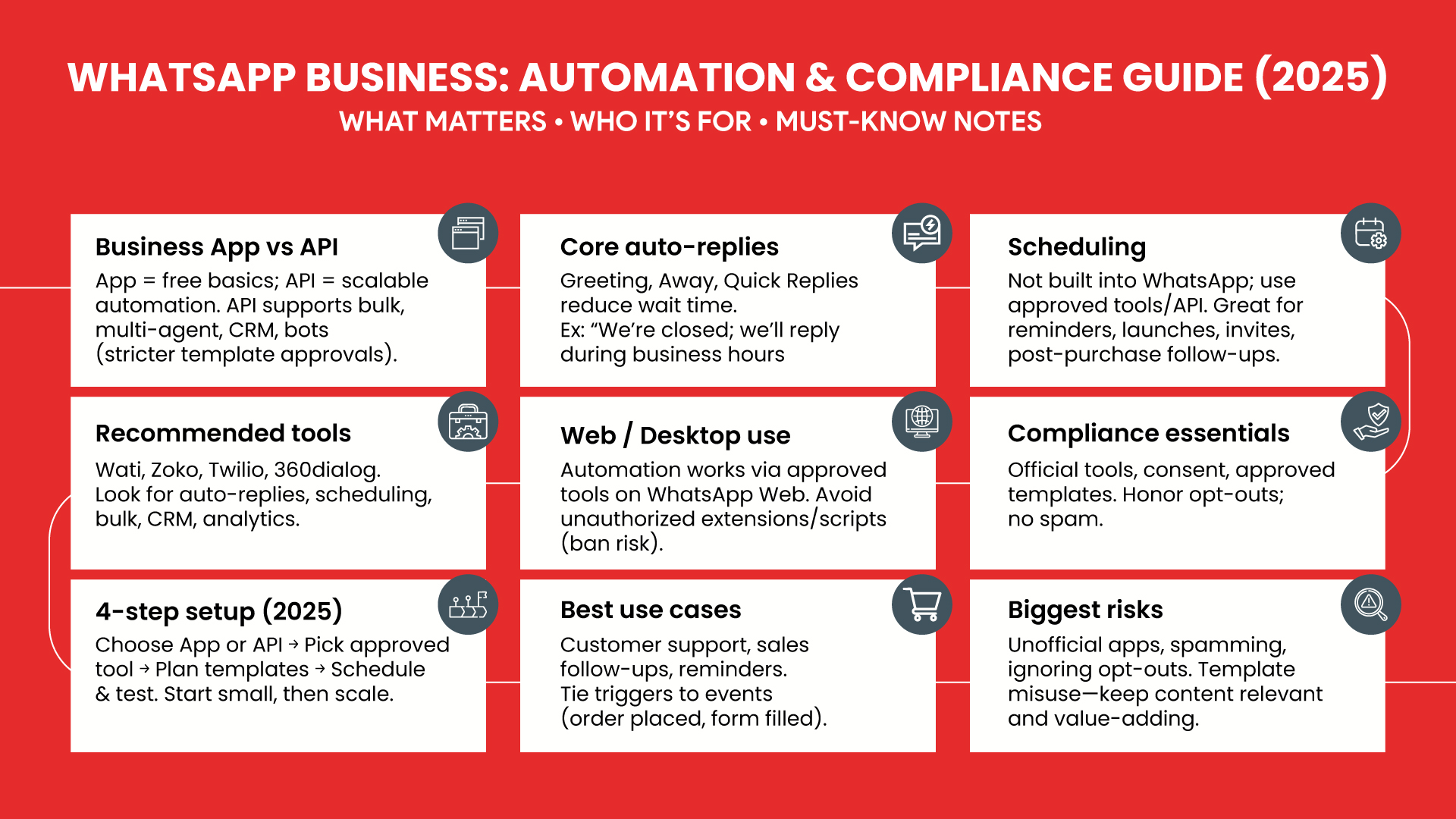
Infographic: WhatsApp Automation (2025) – At a Glance
A one-page companion that compares Business App vs Business API, outlines auto-replies & scheduling, lists approved tools, and summarizes compliance & a 4-step setup—perfect for quick evaluation and sharing.
Download WhatsApp Automation 2025 infographic
Sources
- WhatsApp Business App features (Quick Replies, Greeting, Away). (WhatsApp Help Center)
- WhatsApp Business Platform (API) overview & docs (scale, integrations, multi-agent). (Facebook Developers, WhatsApp Business)
- Messaging policy essentials (24-hour customer service window, opt-in/opt-out, no spam). (WhatsApp Business, Facebook Developers)
- Template messages (approval rules & guidelines). (Facebook Developers)
- Pricing update (July 2025) — Meta moves to per-message pricing (rate cards & tiers; utility templates free within service window). (Facebook Developers, WhatsApp Business)
- Provider examples (official/Meta-approved tools): Wati, Zoko, Twilio, 360dialog. (Wati.io, Zoko, Twilio, docs.360dialog.com)
- Scheduling: WhatsApp has no built-in scheduler; use approved tools or API. (Gallabox, engagelab.com)
- WhatsApp Web/Desktop notes (Quick Replies supported on Web; avoid unauthorized automation). (WhatsApp Help Center)
- Policy enforcement & bans for violations (spam, unauthorized bulk/auto-messaging). (WhatsApp.com, Facebook Developers)
- Broadcast limits (2025 tests) — Meta testing monthly limits to reduce spam. (TechCrunch)
- Twilio pricing context for WhatsApp channel (provider fees + Meta fees). (Twilio)
- Zapier automation paths (connect via Twilio or 360dialog). (Zapier, getchat.360dialog.io)
Conclusion
WhatsApp automation is an essential for businesses that want to stay competitive. Whether you need WhatsApp automatic reply setups, WhatsApp message scheduling, or advanced API workflows, the key is to use official, compliant tools.
If you want to scale customer support, boost sales, and run campaigns without breaking WhatsApp’s rules, start with a clear strategy and the right technology. And if you’d rather focus on running your business, partnering with a Social Media Marketing Company in Coimbatore can help you set up everything the right way.
Author Bio:
Repute is a full-service digital business agency in Coimbatore helping brands build, promote, and market with web, ecommerce, branding, and digital marketing solutions.